
Đặt trước
Nhận đơn đặt trước với thanh toán đặt cọc linh hoạt và theo dõi vòng đời 9 giai đoạn
How Pre-Order Works
A simple 4-step process for your customers
Browse
Discover products available for pre-order with availability dates and deposit options clearly displayed.
Place Pre-Order
Submit a pre-order and pay a deposit (percentage or fixed) or the full price upfront.
Track & Ship
Follow your pre-order through a 9-stage lifecycle with real-time status updates.
Pay Balance
Complete the remaining payment when ready — Stripe, PayPal, COD, or bank transfer.
Tự mình thử
See the Full Pre-Order Flow
Experience the complete pre-order journey — from browsing products to placing orders and tracking delivery.
View pre-order products with deposit options, availability dates, and stock limits.
View ProductsClick "Pre-Order Now" and pay a deposit or full price at checkout.
Monitor your order through 9 lifecycle stages from your dashboard.
Pay the remaining balance when the product is ready to ship.
Why Store Owners Love It
Ảnh chụp màn hình
Xem plugin Đặt trước hoạt động
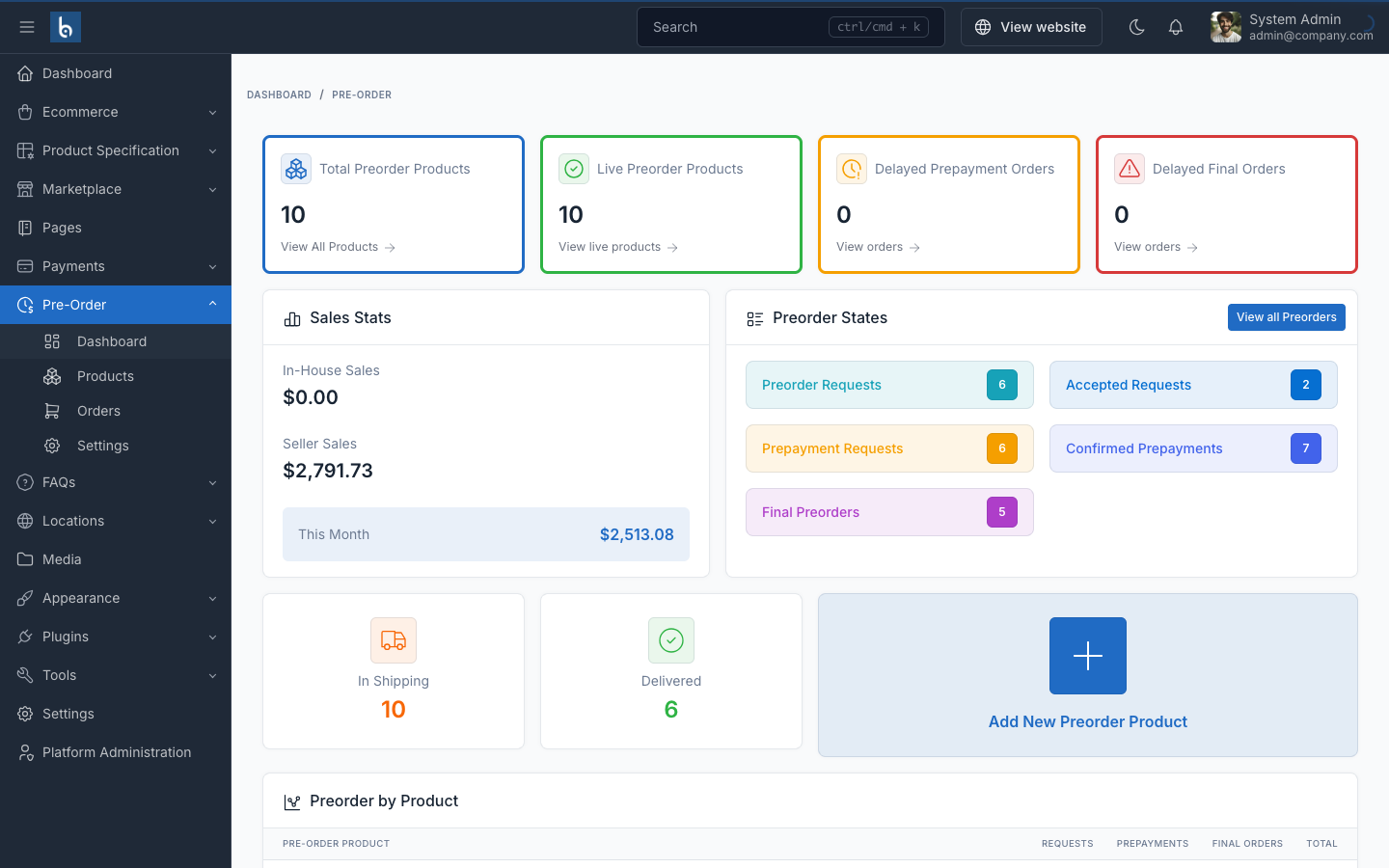
Pre-Order Dashboard
Overview of pre-order statistics, sales data, and order status distribution.
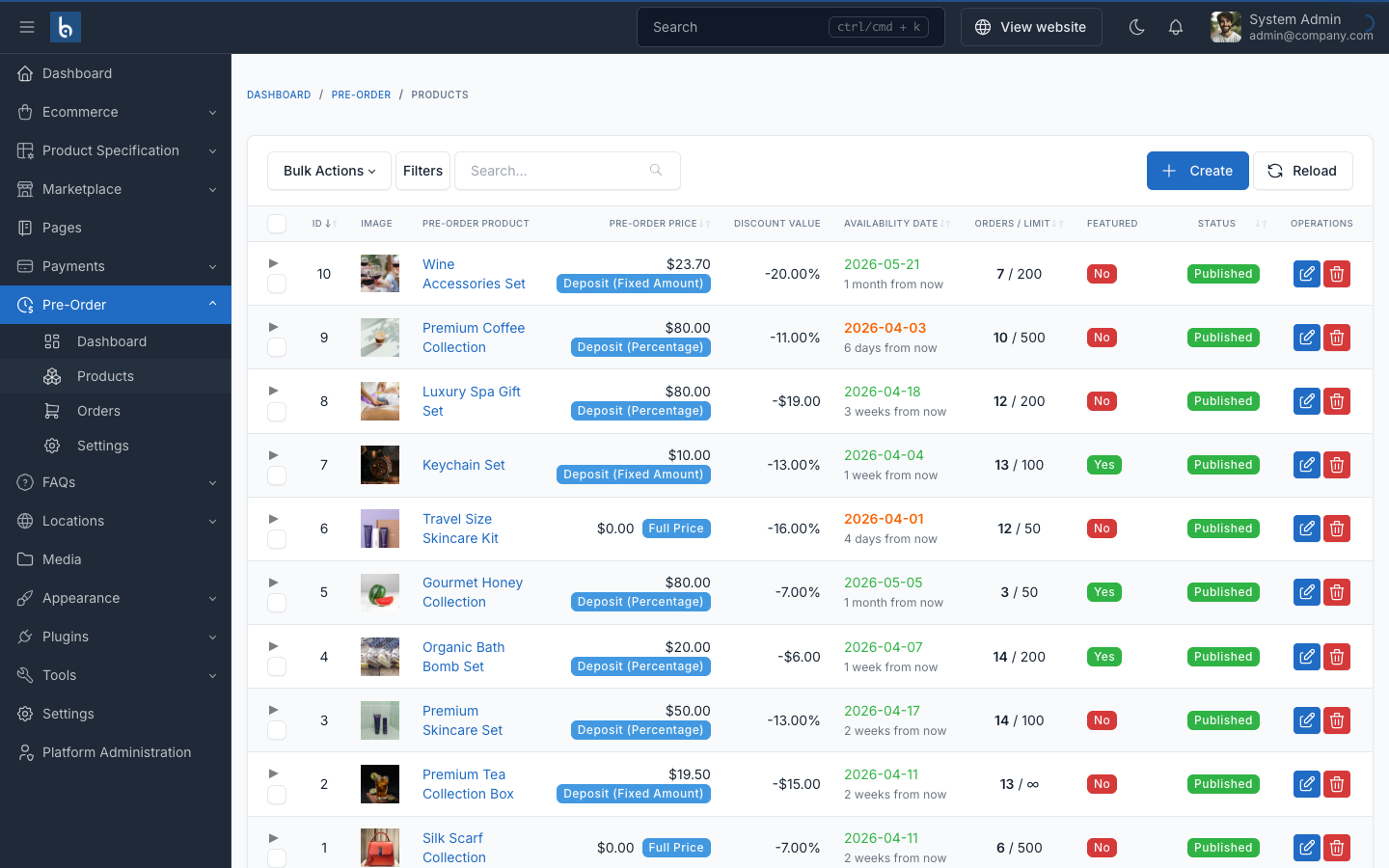
Pre-Order Products
Manage products available for pre-order with availability dates, deposit options, and stock limits.
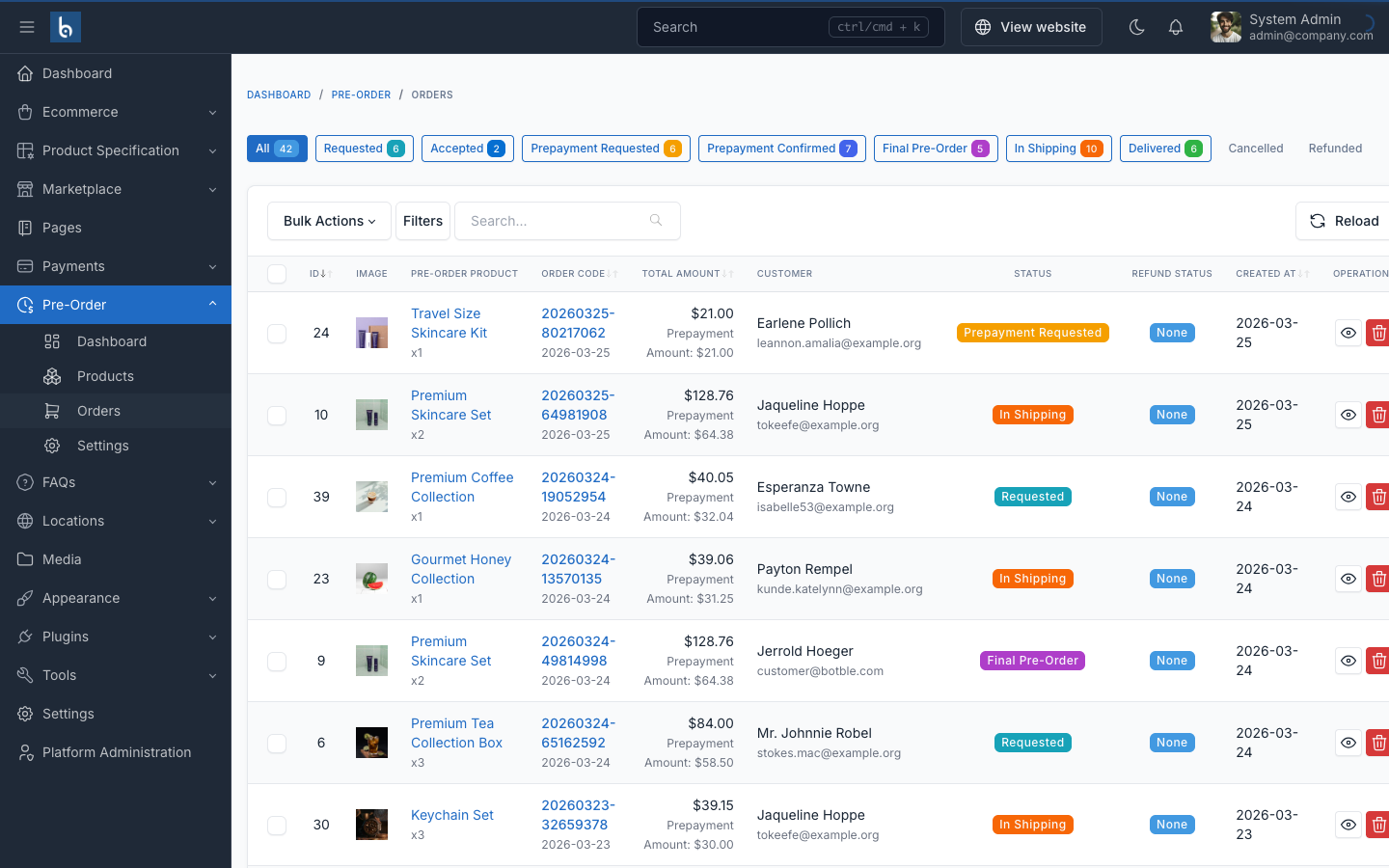
Pre-Order Orders
Track and manage all pre-order requests with status, payment, and customer information.
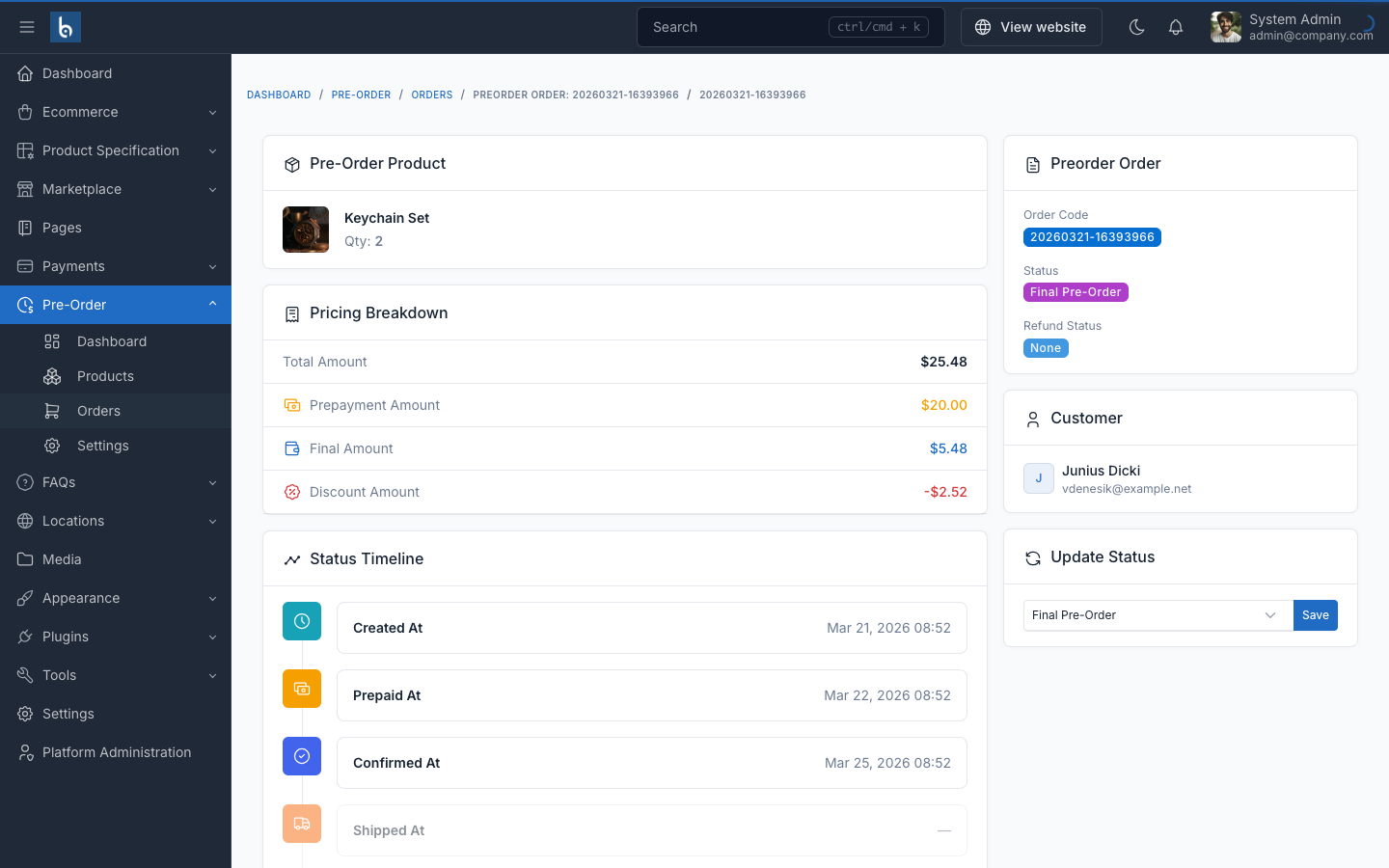
Order Detail
Detailed view of a pre-order with payment tracking, status management, and customer info.
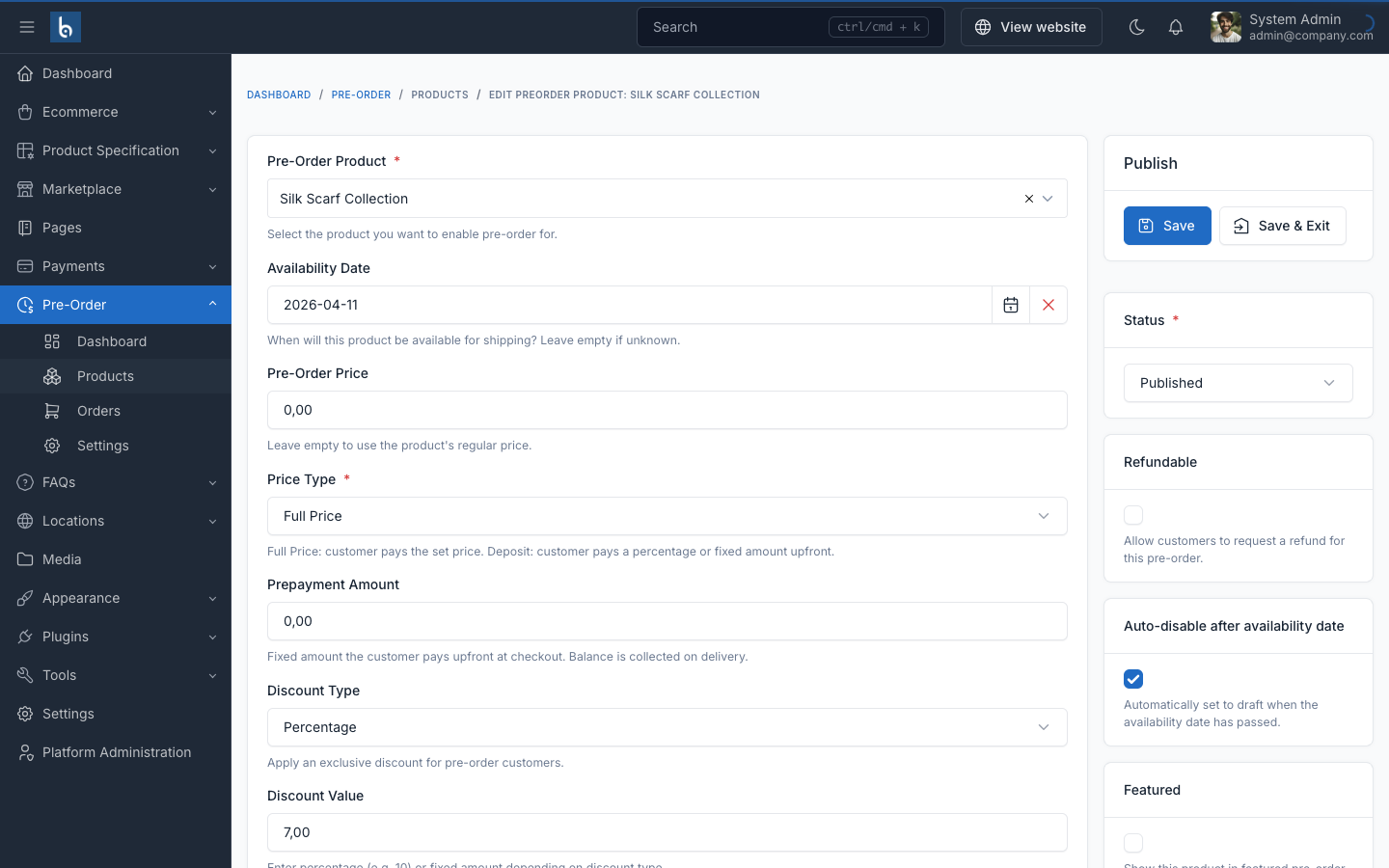
Product Pre-Order Settings
Configure deposit type, pricing, availability, discounts, and stock limits per product.
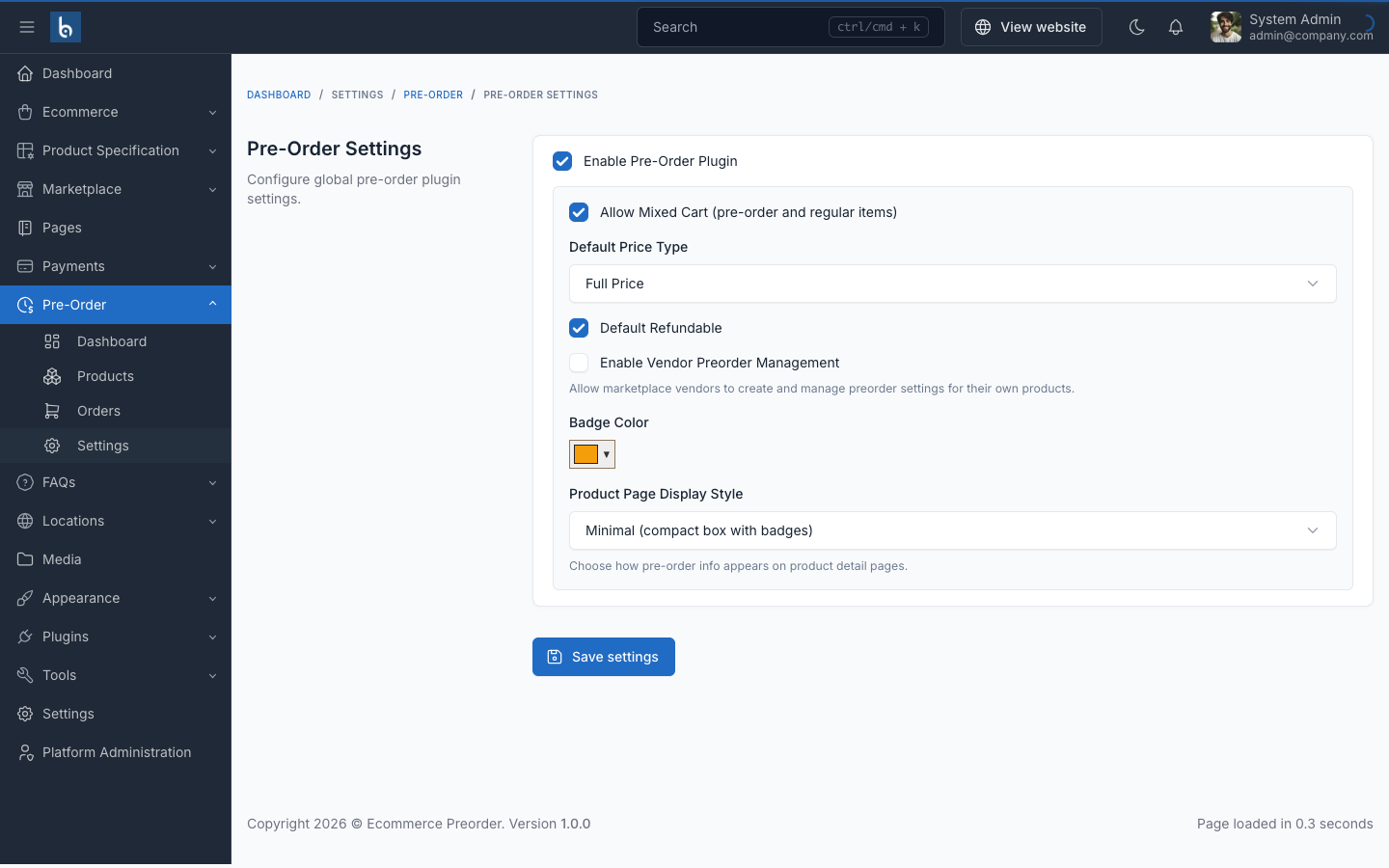
Cài đặt & Cấu hình
Configure display styles, default deposit types, and auto-expiration settings.
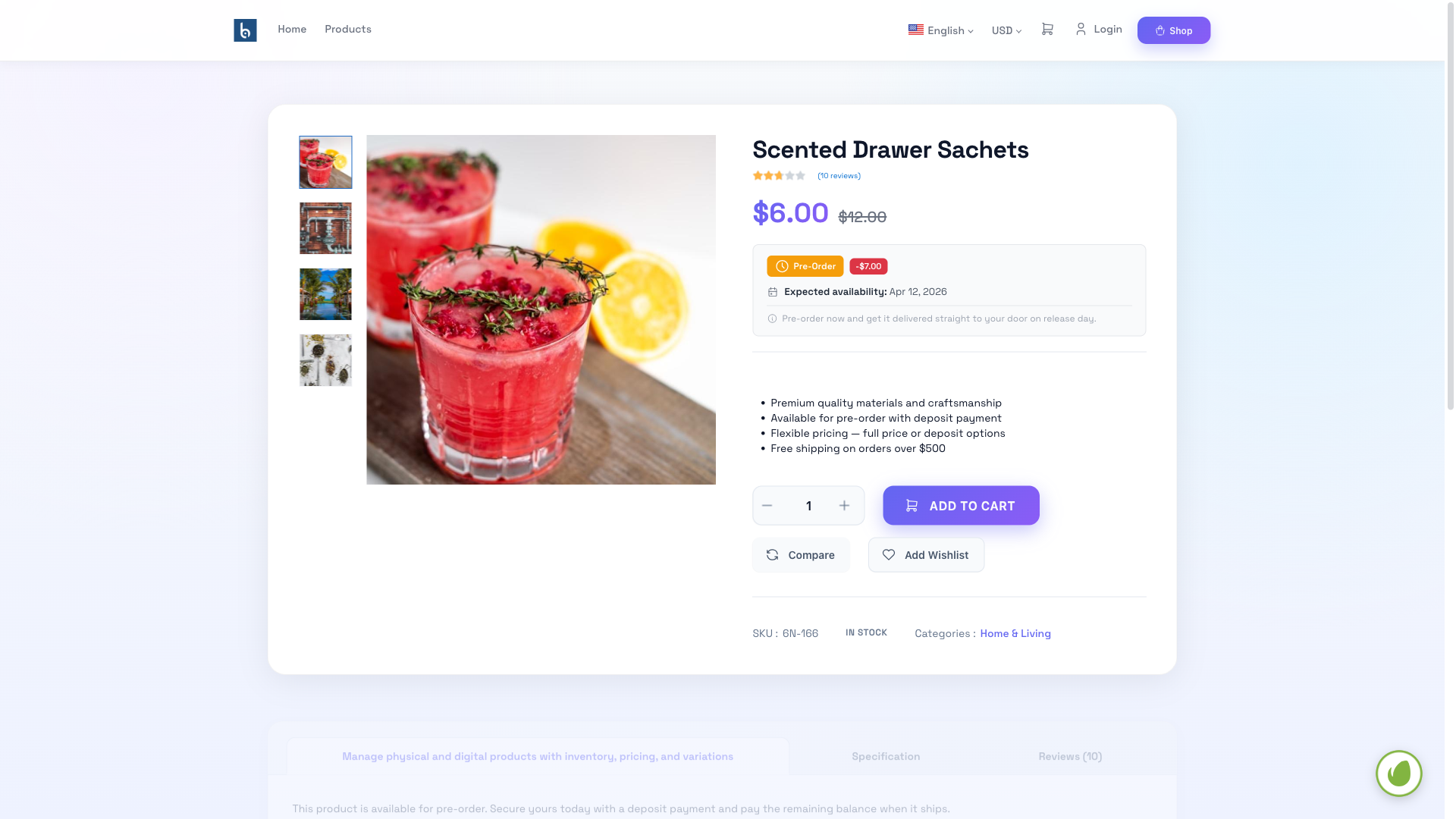
Product Detail Page
Pre-order information box displayed on product detail page with deposit options and availability date.
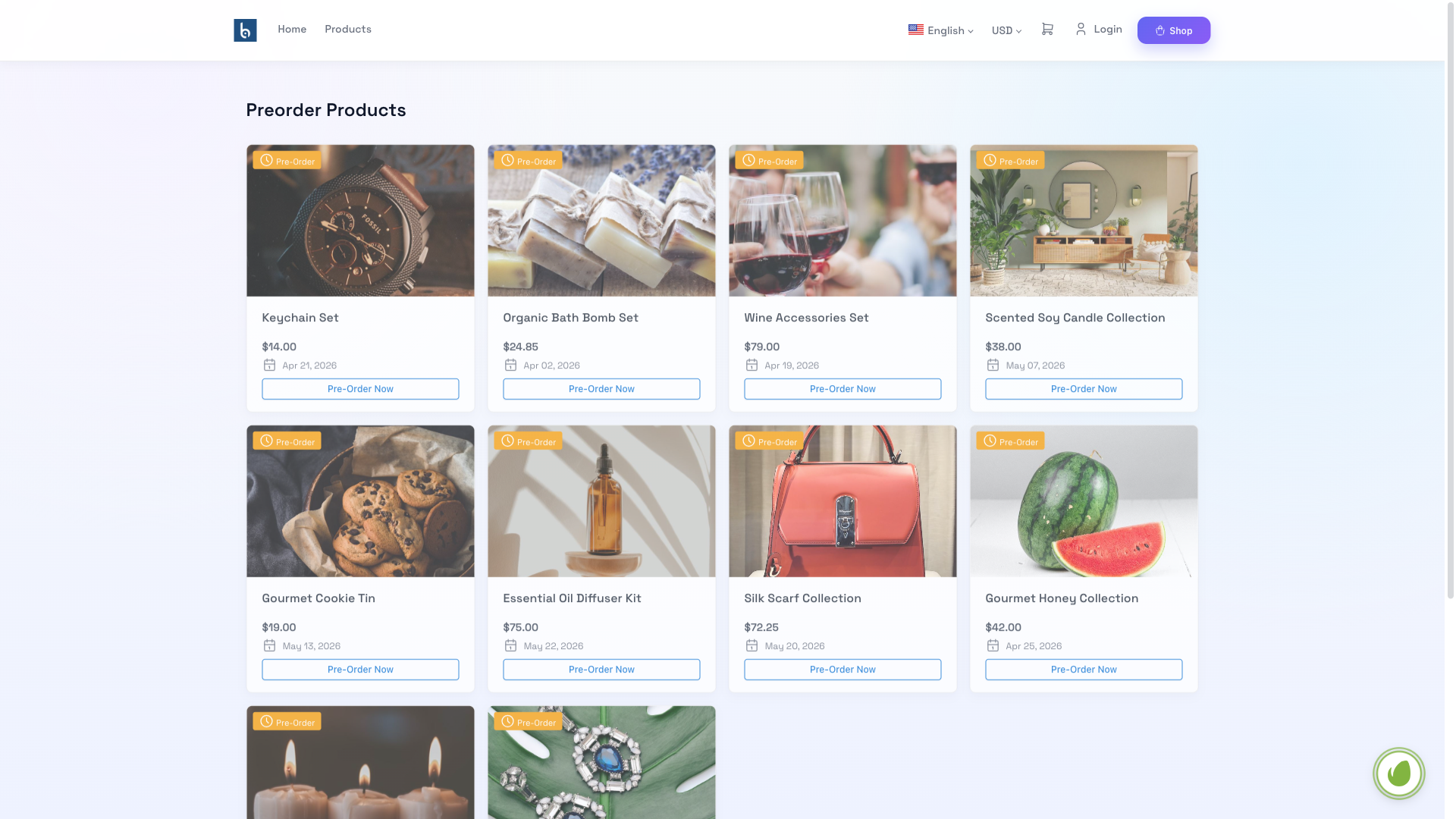
Public Pre-Order Page
Customer-facing pre-order products listing with availability info and deposit options.
Tính năng Plugin
Mọi thứ bạn cần để quản lý đơn đặt trước cho cửa hàng
Flexible Pricing
Full price, percentage deposit, or fixed deposit — choose the right model for each product.
9-Stage Lifecycle
Track every order from Requested through Accepted, Prepayment, Shipping, to Delivered.
Two-Stage Payments
Collect deposit at checkout, remaining balance on delivery — Stripe, PayPal, COD, bank transfer.
Preorder Discounts
Offer percentage or fixed discounts for early buyers to incentivize pre-orders.
Stock Control
Set stock limits and minimum quantities per product to manage availability.
Bảng điều khiển khách hàng
Self-service portal with payment tracking, cancellation, and refund requests.
Auto-Expiration
Products auto-disable past availability date — zero manual intervention.
4 Display Styles
Minimal, Banner, Inline, or Detailed — customize how pre-order info appears.
Vendor Support
Fully compatible with Botble Marketplace — vendors manage their own pre-orders.
Câu hỏi thường gặp
Mua Plugin Đặt trước
Mua plugin này trên CodeCanyon để thêm hệ thống đặt trước mạnh mẽ vào cửa hàng của bạn