
Pre-Order
Accept pre-orders with flexible deposit payments and 9-stage lifecycle tracking
How Pre-Order Works
A simple 4-step process for your customers
Browse
Discover products available for pre-order with availability dates and deposit options clearly displayed.
Place Pre-Order
Submit a pre-order and pay a deposit (percentage or fixed) or the full price upfront.
Track & Ship
Follow your pre-order through a 9-stage lifecycle with real-time status updates.
Pay Balance
Complete the remaining payment when ready — Stripe, PayPal, COD, or bank transfer.
Try It Yourself
See the Full Pre-Order Flow
Experience the complete pre-order journey — from browsing products to placing orders and tracking delivery.
View pre-order products with deposit options, availability dates, and stock limits.
View ProductsClick "Pre-Order Now" and pay a deposit or full price at checkout.
Monitor your order through 9 lifecycle stages from your dashboard.
Pay the remaining balance when the product is ready to ship.
Why Store Owners Love It
Screenshots
See the Pre-Order plugin in action
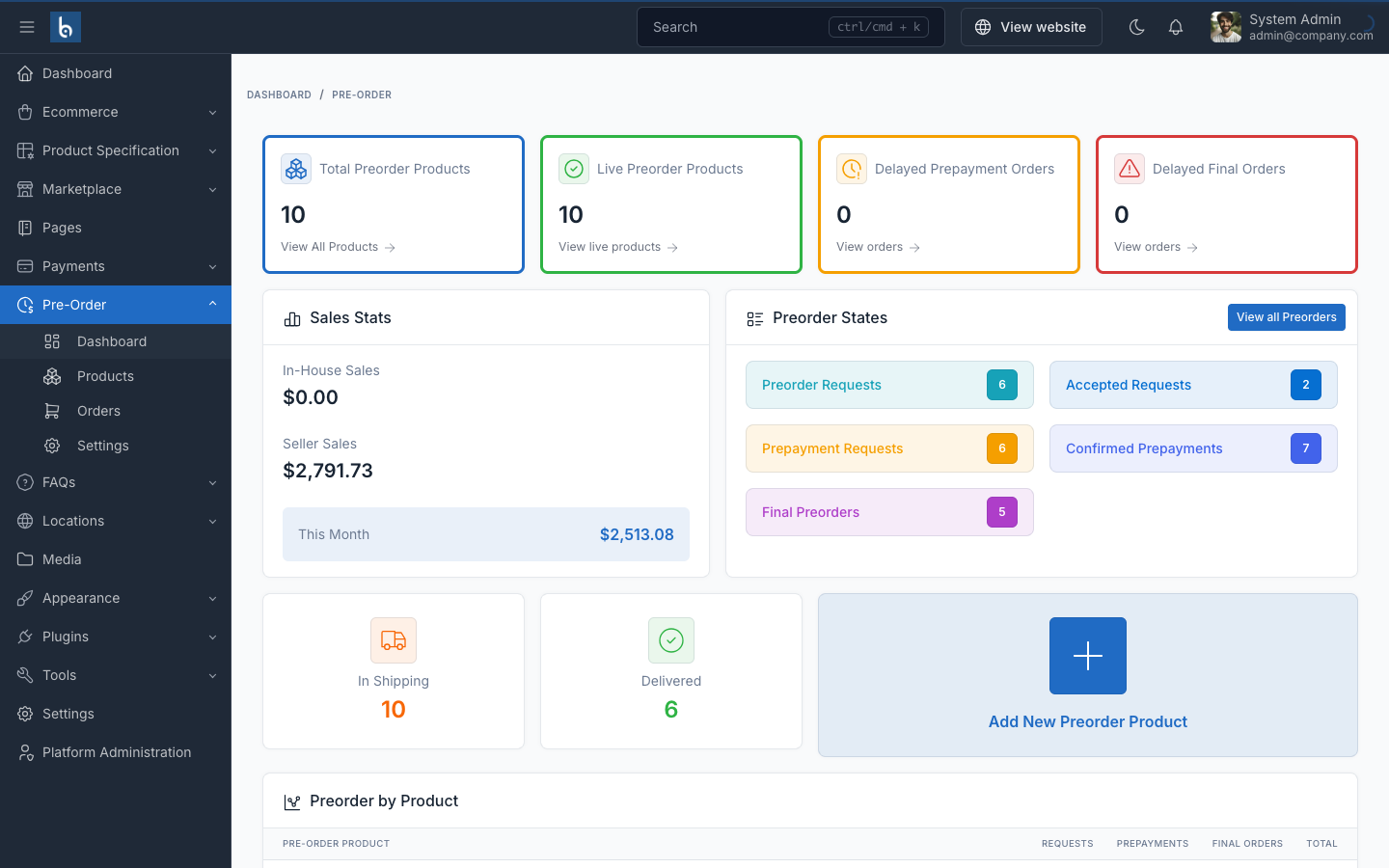
Pre-Order Dashboard
Overview of pre-order statistics, sales data, and order status distribution.
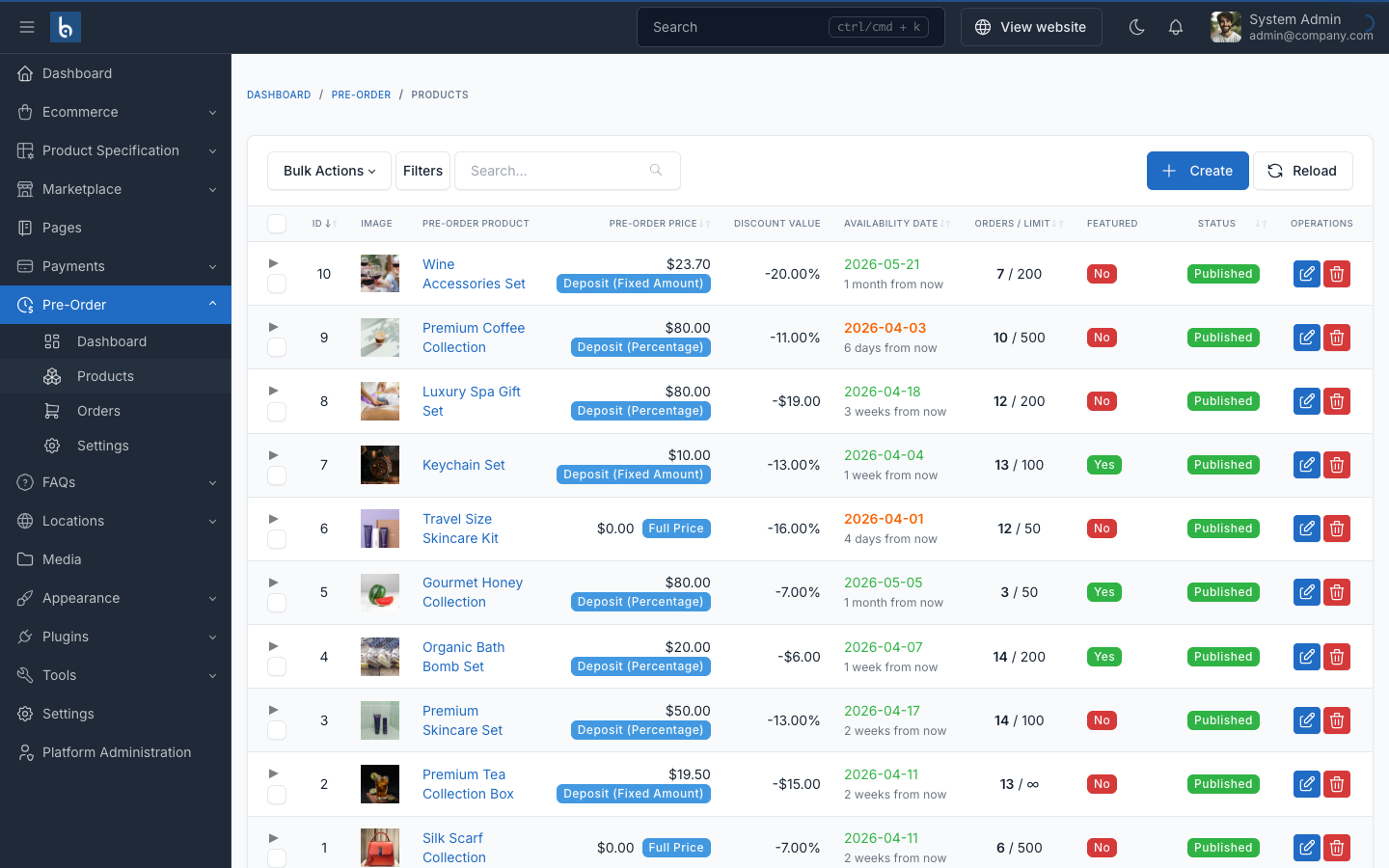
Pre-Order Products
Manage products available for pre-order with availability dates, deposit options, and stock limits.
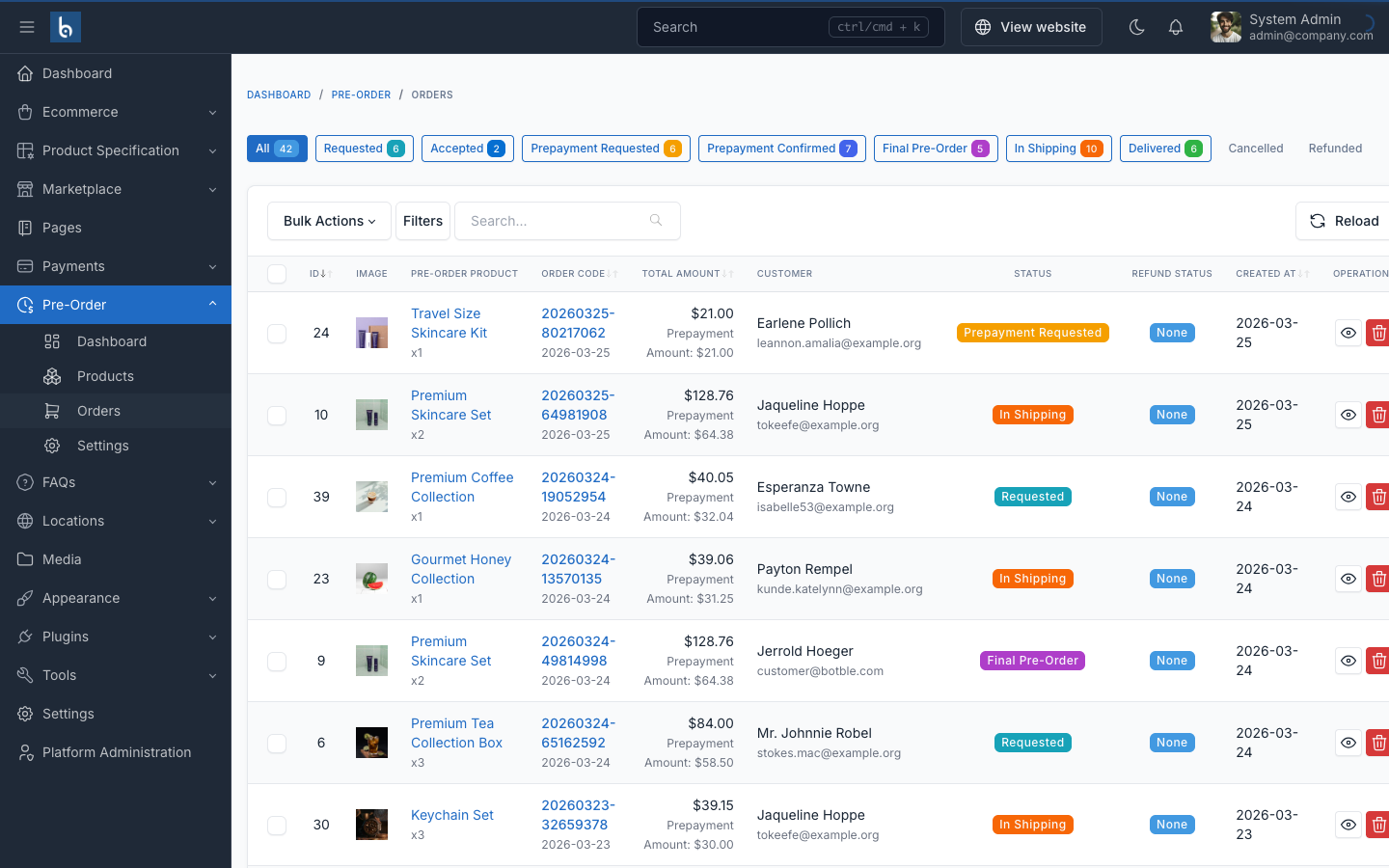
Pre-Order Orders
Track and manage all pre-order requests with status, payment, and customer information.
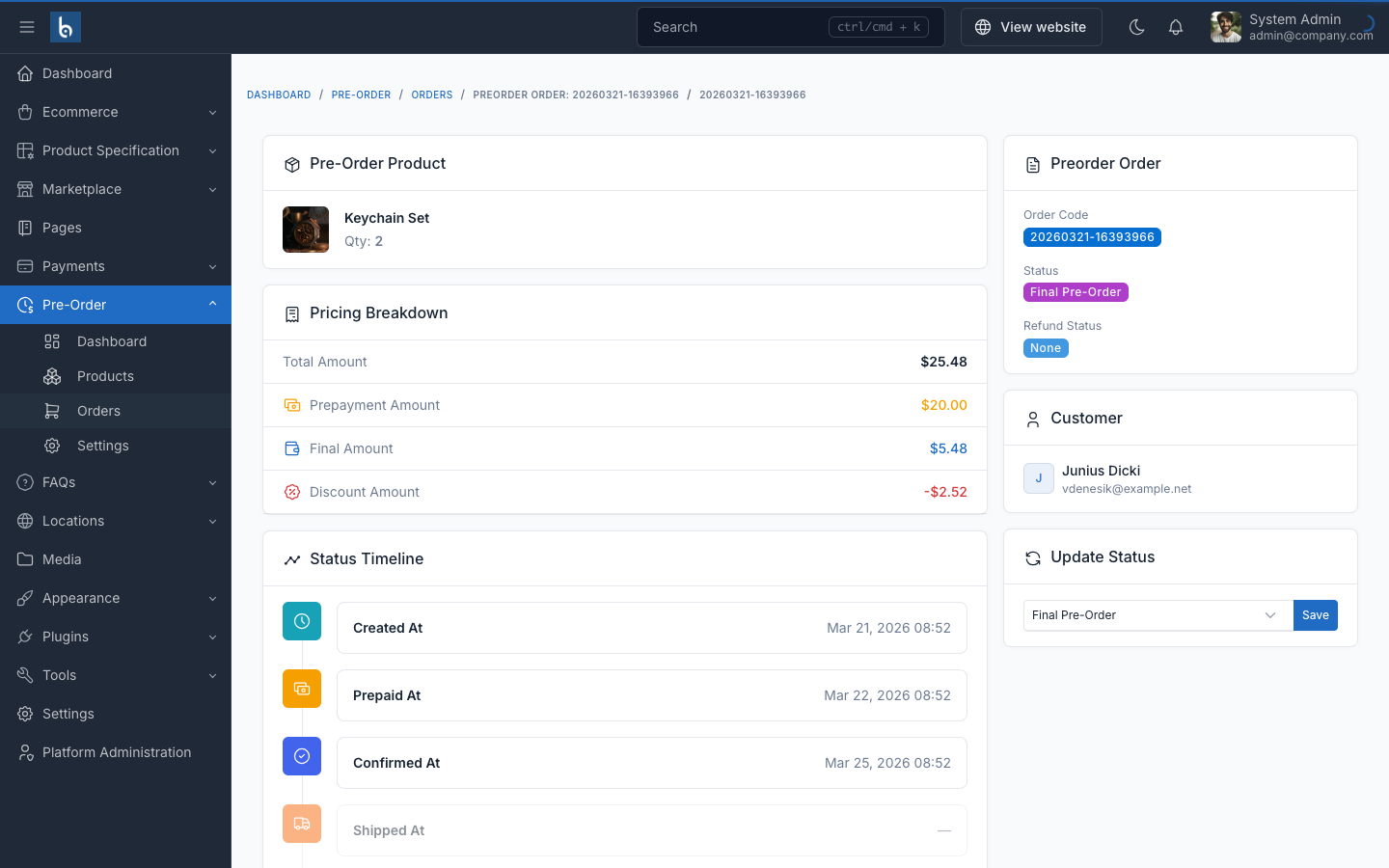
Order Detail
Detailed view of a pre-order with payment tracking, status management, and customer info.
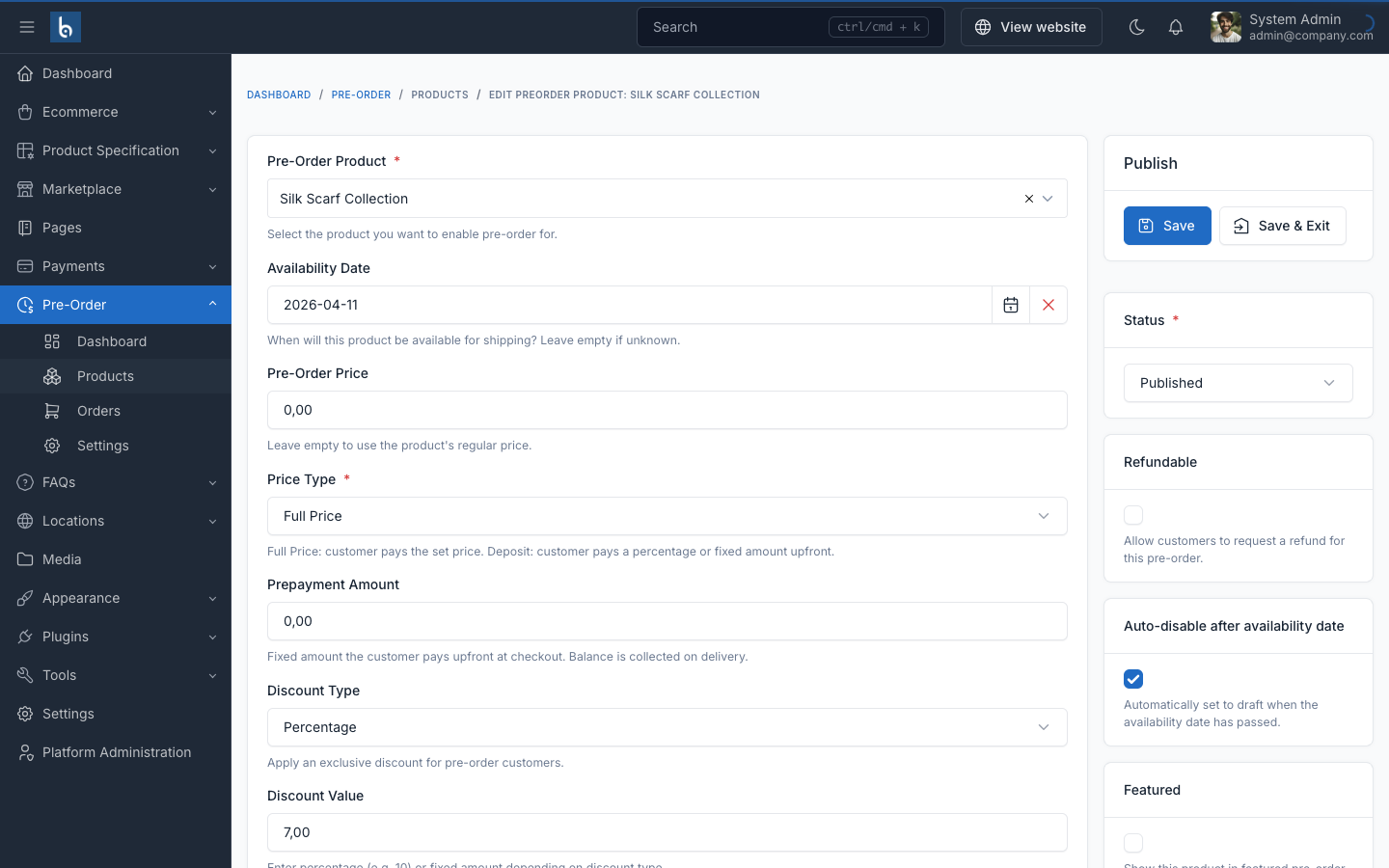
Product Pre-Order Settings
Configure deposit type, pricing, availability, discounts, and stock limits per product.
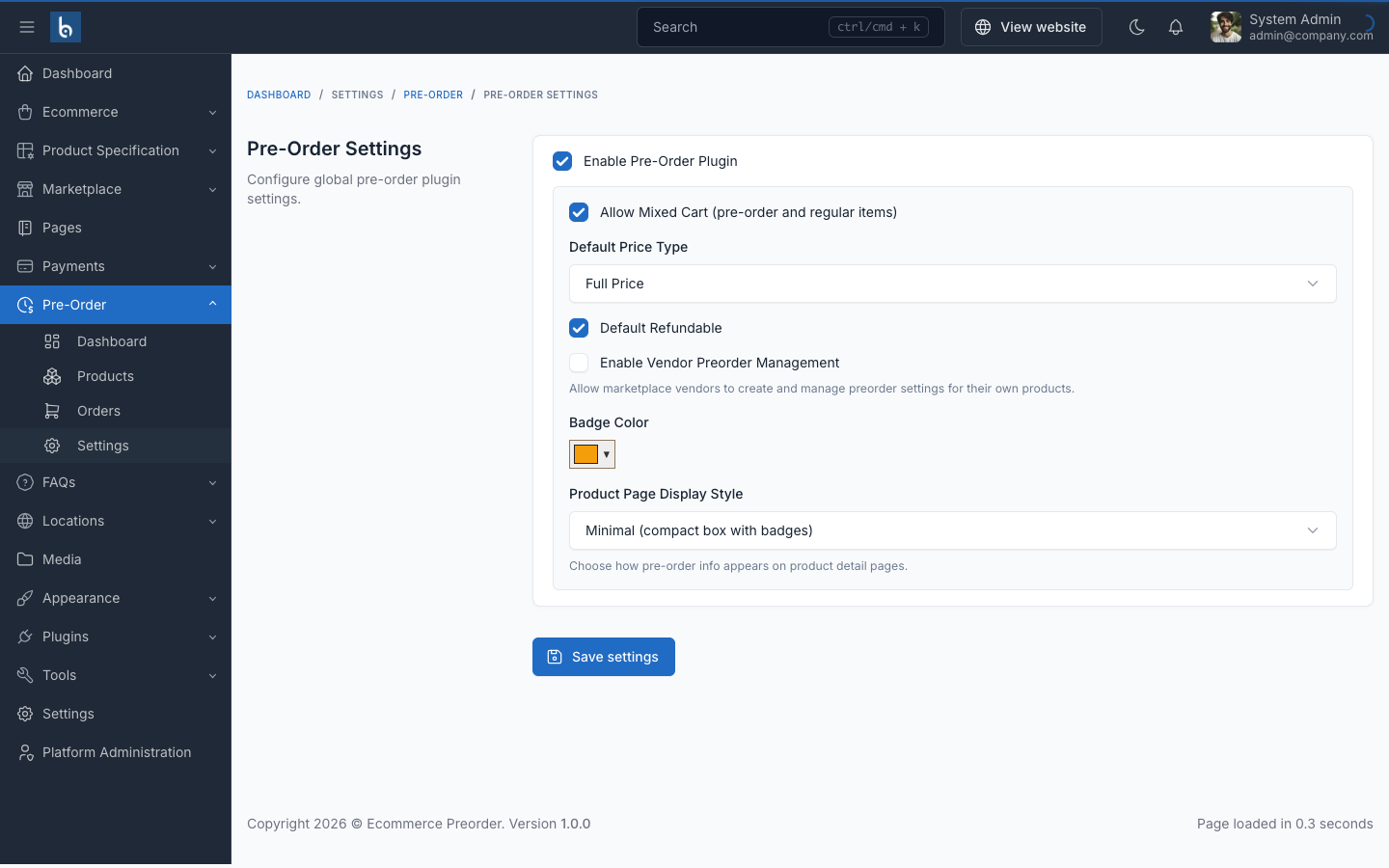
Settings & Configuration
Configure display styles, default deposit types, and auto-expiration settings.
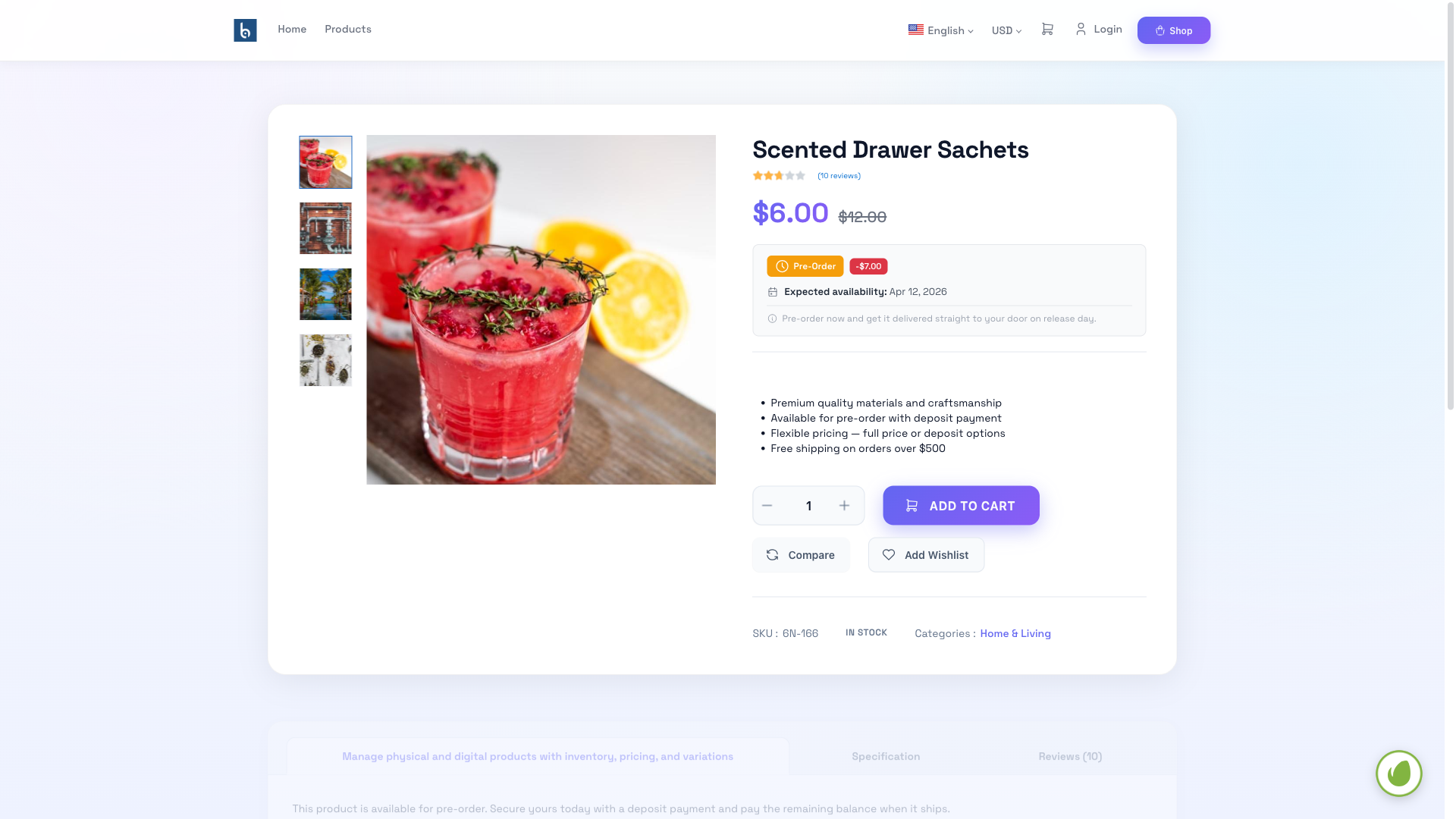
Product Detail Page
Pre-order information box displayed on product detail page with deposit options and availability date.
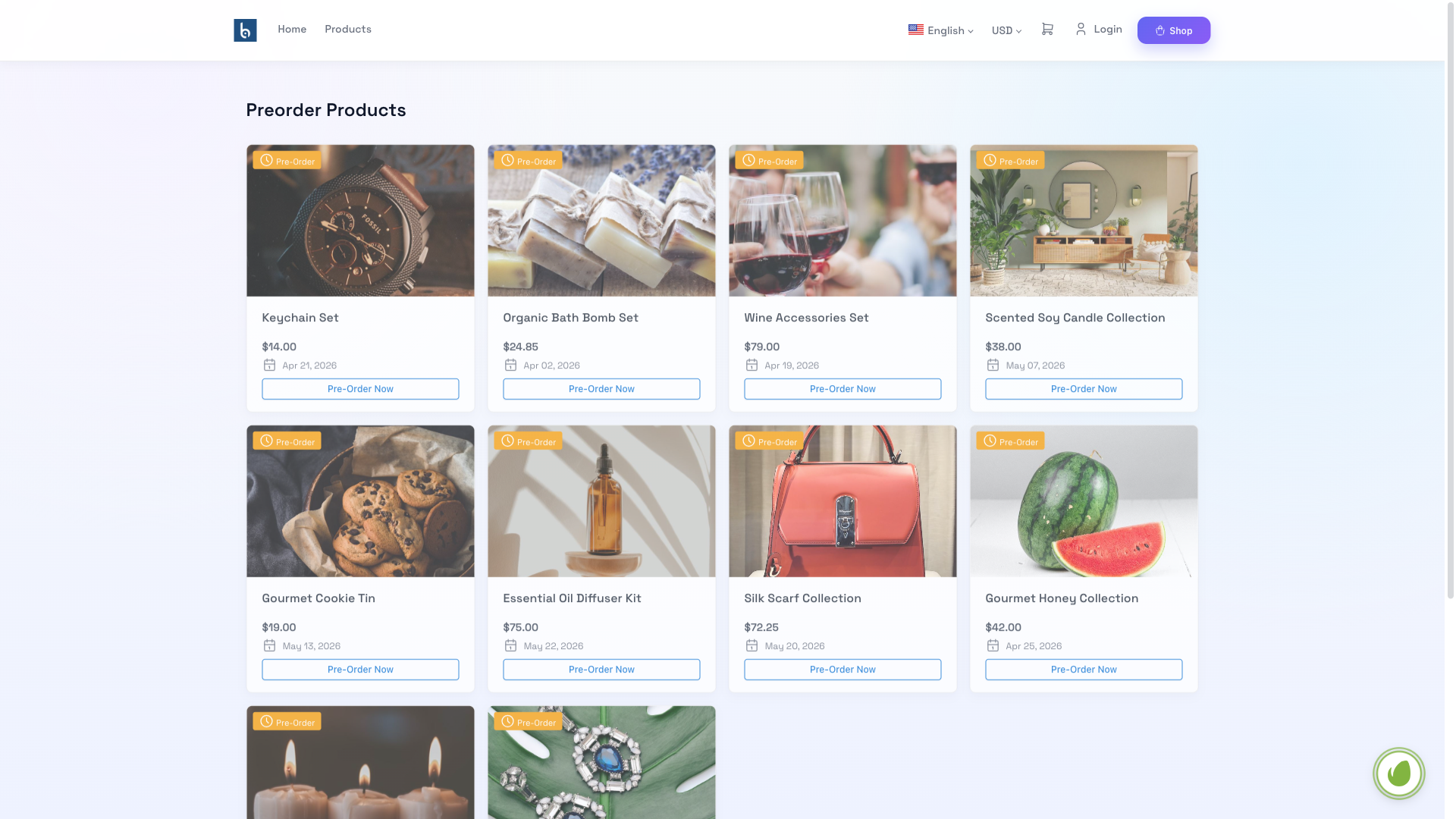
Public Pre-Order Page
Customer-facing pre-order products listing with availability info and deposit options.
Plugin Features
Everything you need to manage pre-orders for your e-commerce store
Flexible Pricing
Full price, percentage deposit, or fixed deposit — choose the right model for each product.
9-Stage Lifecycle
Track every order from Requested through Accepted, Prepayment, Shipping, to Delivered.
Two-Stage Payments
Collect deposit at checkout, remaining balance on delivery — Stripe, PayPal, COD, bank transfer.
Preorder Discounts
Offer percentage or fixed discounts for early buyers to incentivize pre-orders.
Stock Control
Set stock limits and minimum quantities per product to manage availability.
Customer Dashboard
Self-service portal with payment tracking, cancellation, and refund requests.
Auto-Expiration
Products auto-disable past availability date — zero manual intervention.
4 Display Styles
Minimal, Banner, Inline, or Detailed — customize how pre-order info appears.
Vendor Support
Fully compatible with Botble Marketplace — vendors manage their own pre-orders.
Frequently asked questions
Get Pre-Order Plugin
Purchase this plugin on CodeCanyon to add a powerful pre-order system to your e-commerce store